Showing posts with label carprog. Show all posts

Monday, February 11, 2019

Carprog Tool Frequency Ask Question by Customers

UOBDII collect some questions from our users,it is asked frequency by our caprog users.Hope it helps!
  1. Carprog 4.74 can't open, where to download CarProg?
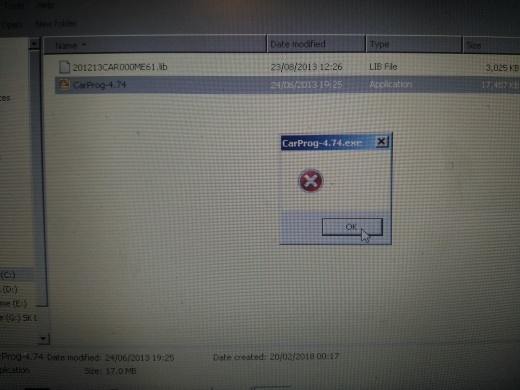
After all procedures can't open carprog program now.

After all procedures can't open carprog program now.
CarProg v8.21 full fw download
https://mega.nz/#F!o8BmXCxR!9NmLnlQbU-JrCEC8Tqf4LA

Question: i updated firmware from 4.01 to 4.74 but still have some functions n/a (eg skoda auto detect or obd)
with firmware 4.01 these functions was active. what i did wrong?
Answer: Flashed with 8.21 firmware and much more functions available.
Question: anyone can confirm which is pin 55? Is it left side from top to bottom number 7 is pin 55?
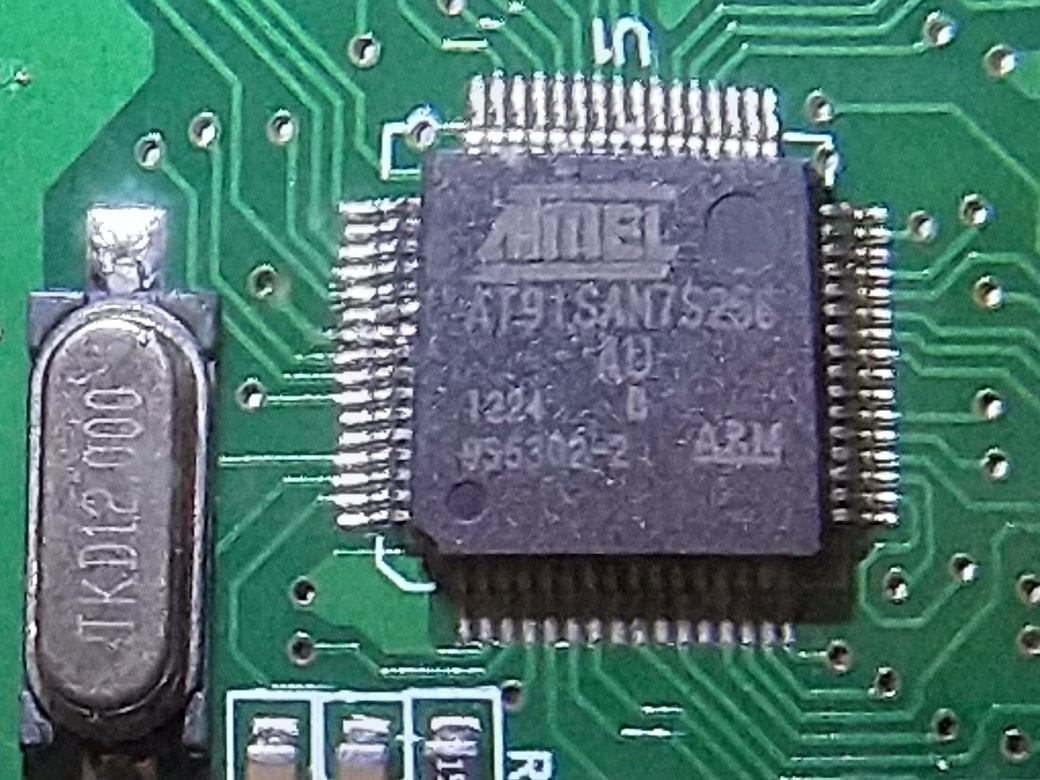
Answer: Exactly you are correct. It is from top to bottom number 7. Now lift it.
If you are using J-link software, let pin55 up until the end of programming, then solder pin55 to ground like in the picture attached.
I did this way and worked perfectly.
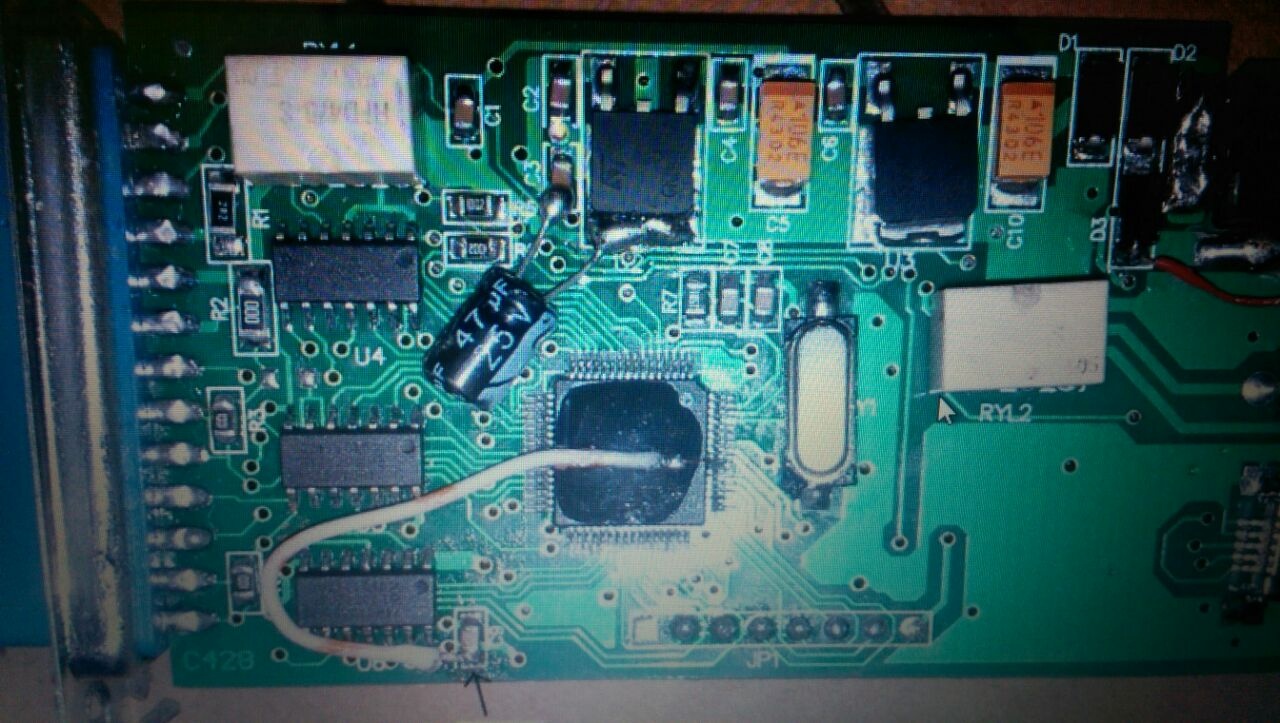
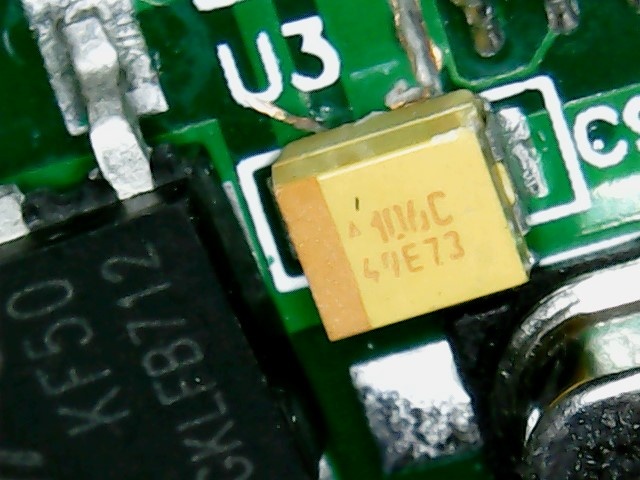
Question: I want to replace these tantalum capacitors in A1 adapter, but the replacement must be exact like the originals?
The originals have 106C 49E73 written. Must I find capacitors with the same numbers?
Answer:
the top numbers are the value, the letter is the tolerance while the second row are just batch numbers so if you are replacing then yes the value numbers in your case must be the same ie 106C, is 10uf
some have a maximum voltage stamped as well but in your case you have to work out the maximum voltage of the board and then add some extra so I would use 25v rated or 35v rated if you are going to use the unit on 24v trucks.

Question: Can someone explain in normal English what carprog is for. Would be nice without (for me) unknown short tags.
So what/which cars can I do with it?
Answer: It is for resetting airbag modules for old models after car crushing.
more details:http://www.uobdii.com/wholesale/carprog-full.html

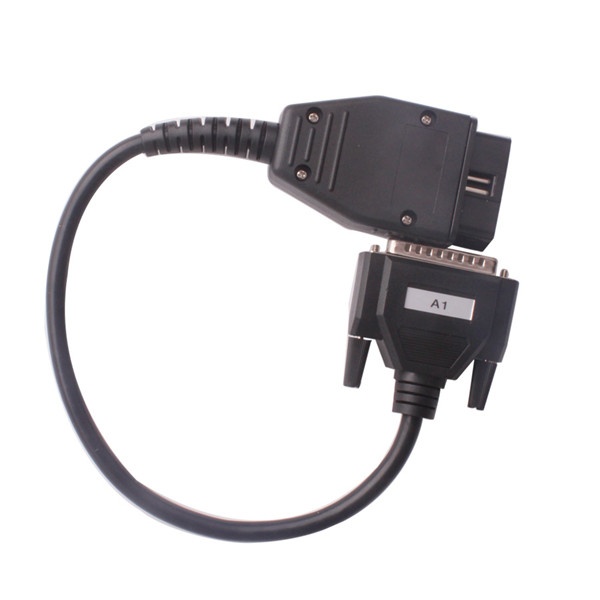
Question: Can someone tell me where to buy A1+ adapter for Chinese carprog?
Answer: directly from eobdtool.co.uk. this one eur13 here

  1. 7.
Question: So found just paid solution get replaced MCU,I'm right?
Answer: no need to replace mcu, it can be erased and reflashed with newest free firmware.
Question: I bought clone carprog v10.05 but most of functions is not available. Is problem with software or firmware? Can I use different version like 7.27 or I need to use software provided seller?
Answer: software is software firmware is firmware
your carprog is most likely got firmware 4 in it
and your wanting what your activation file won't have.
I' ll keep add more here for your reference.
Hope it helps.
http://blog.uobdii.com

Thursday, January 31, 2019

How to Install Carprog v10.93 on Window 7

 Here UOBDII show the guide on how to install Carprog software v10.93 step-by-step.

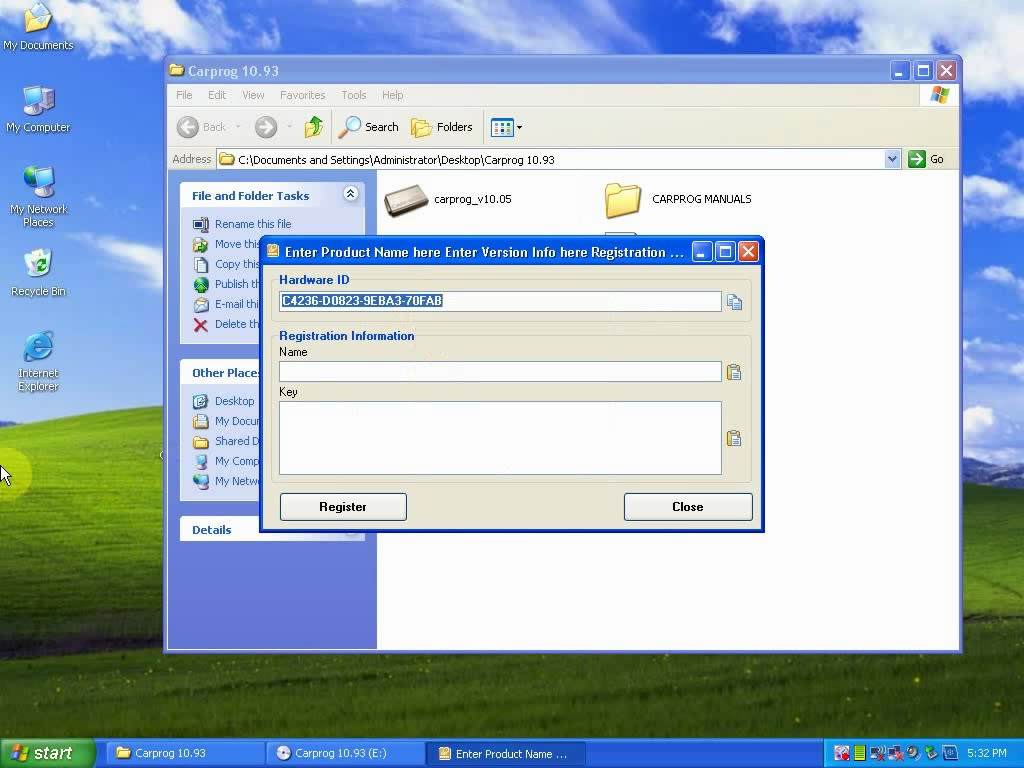
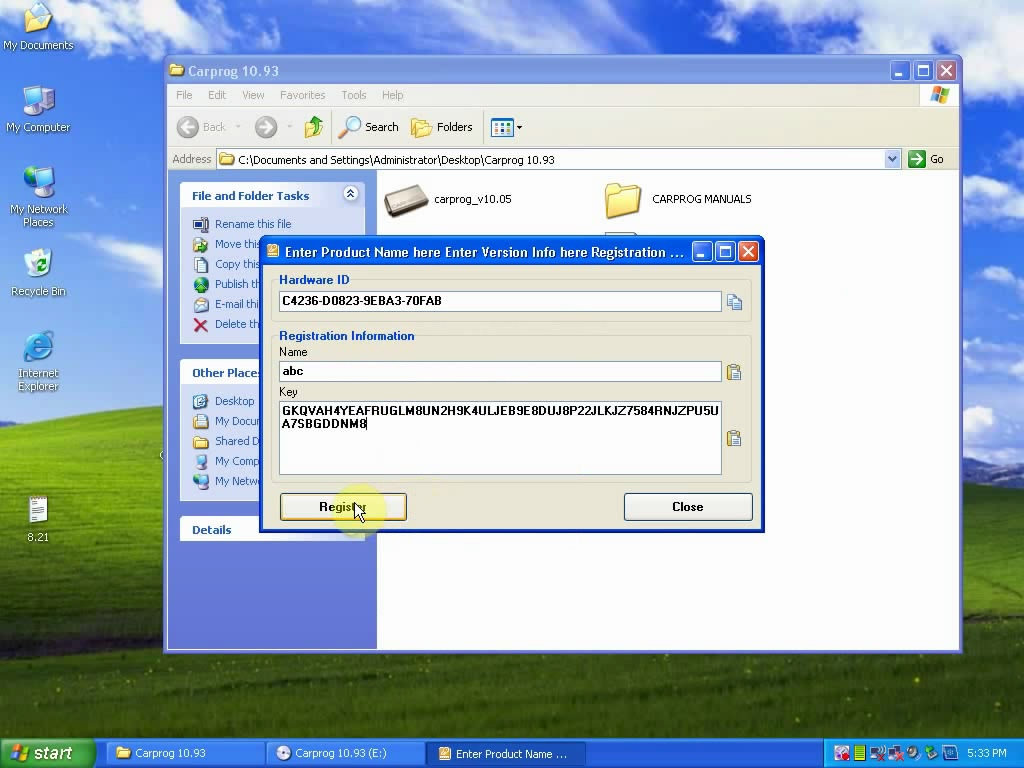
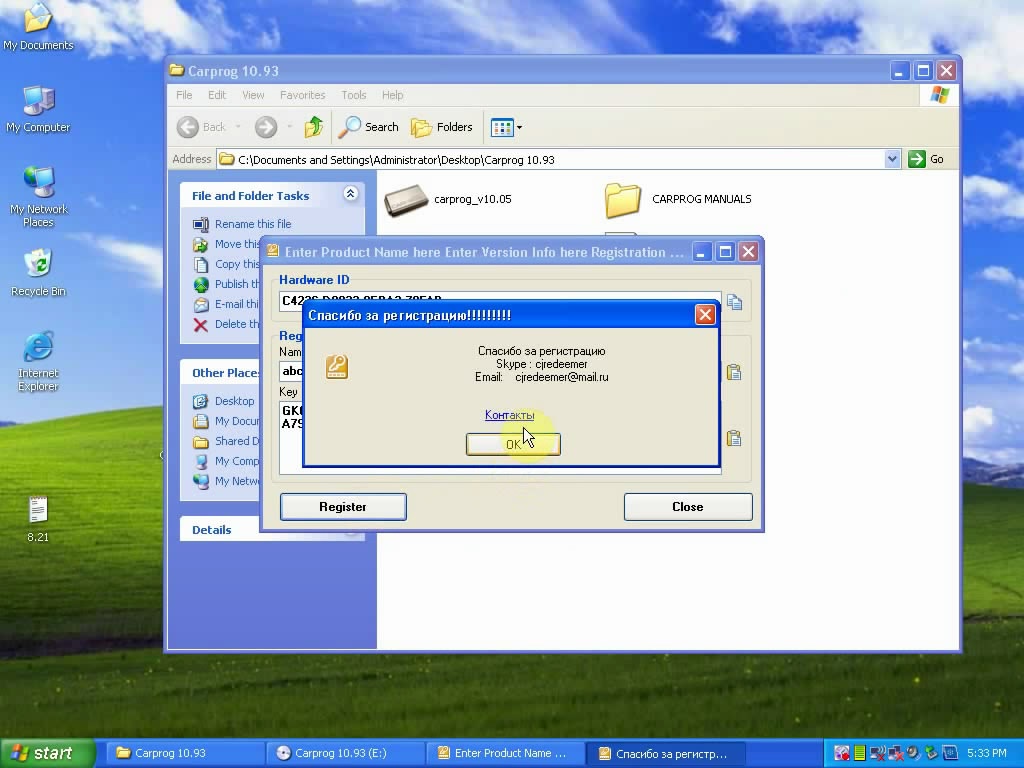
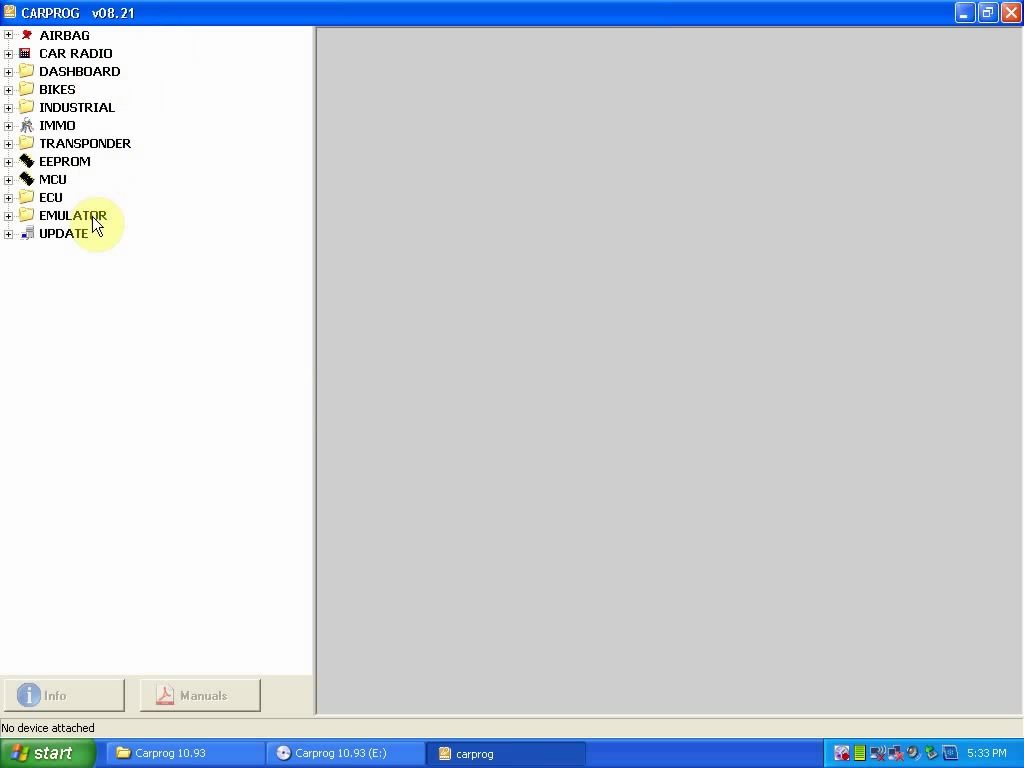
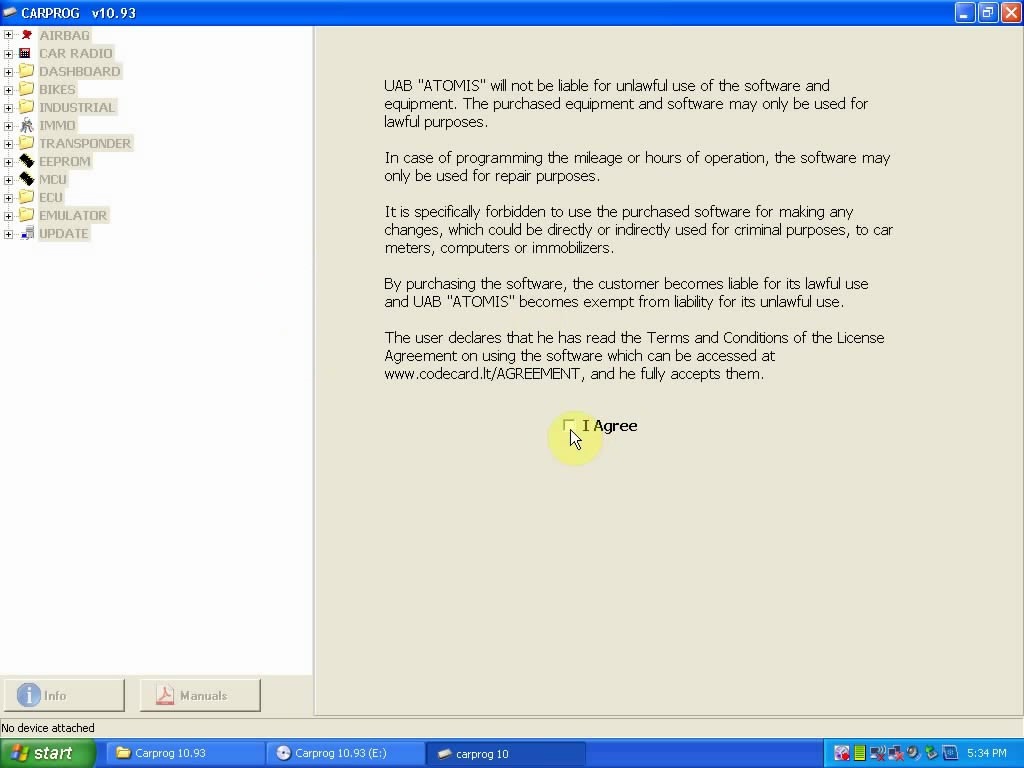
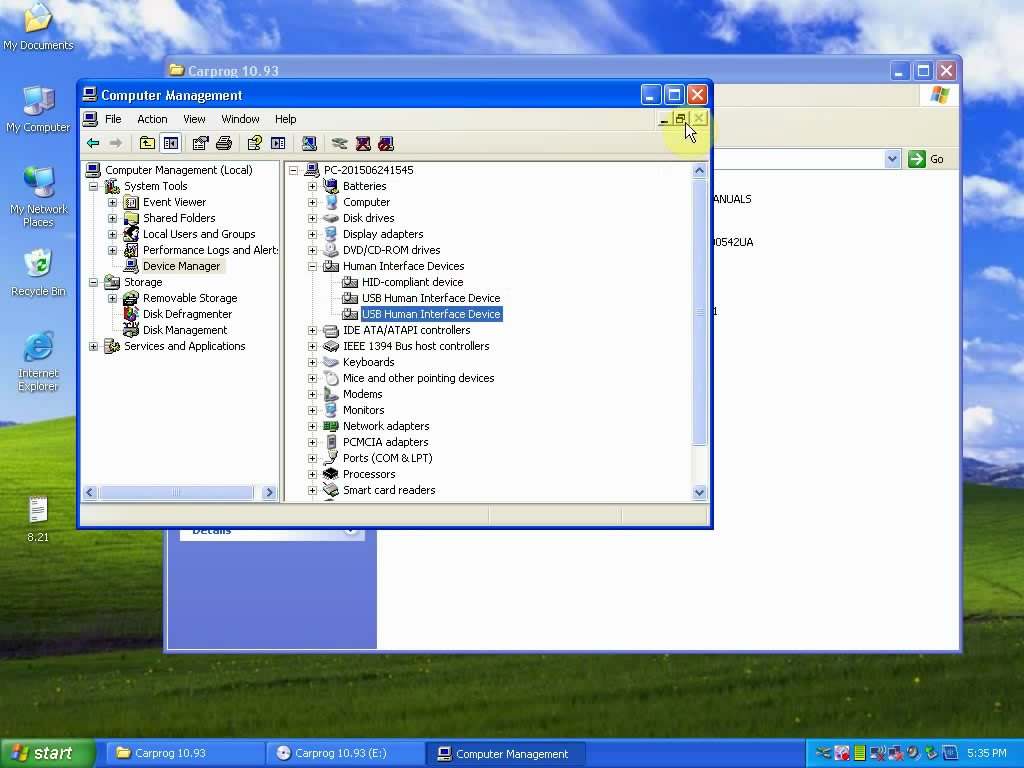
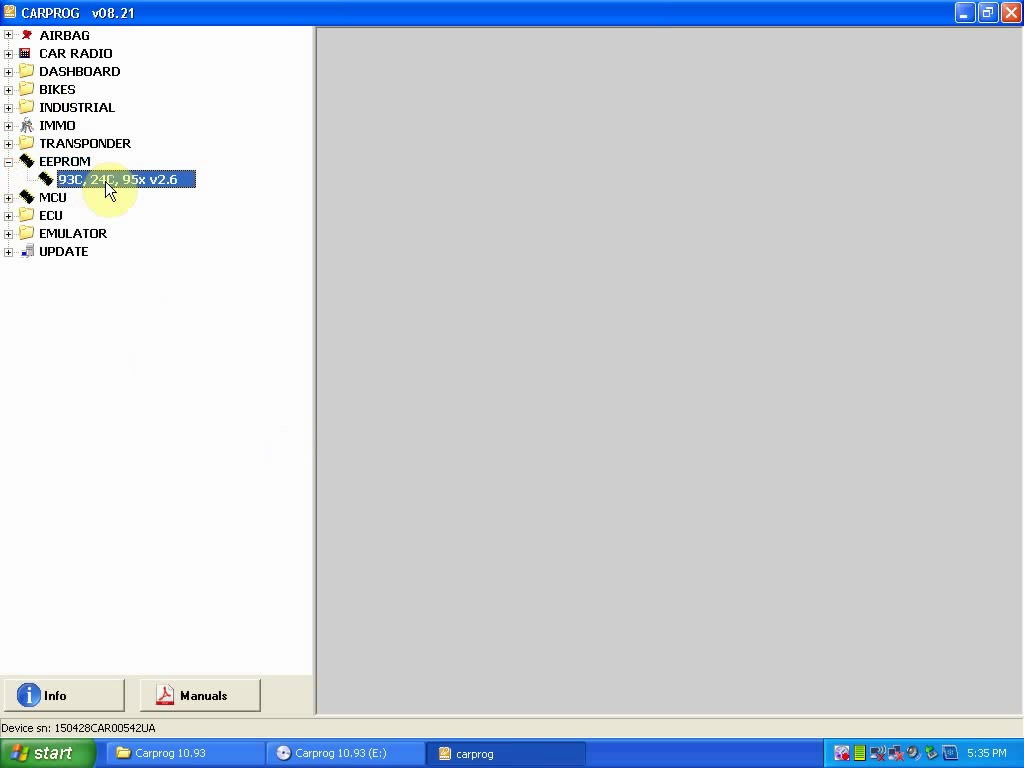
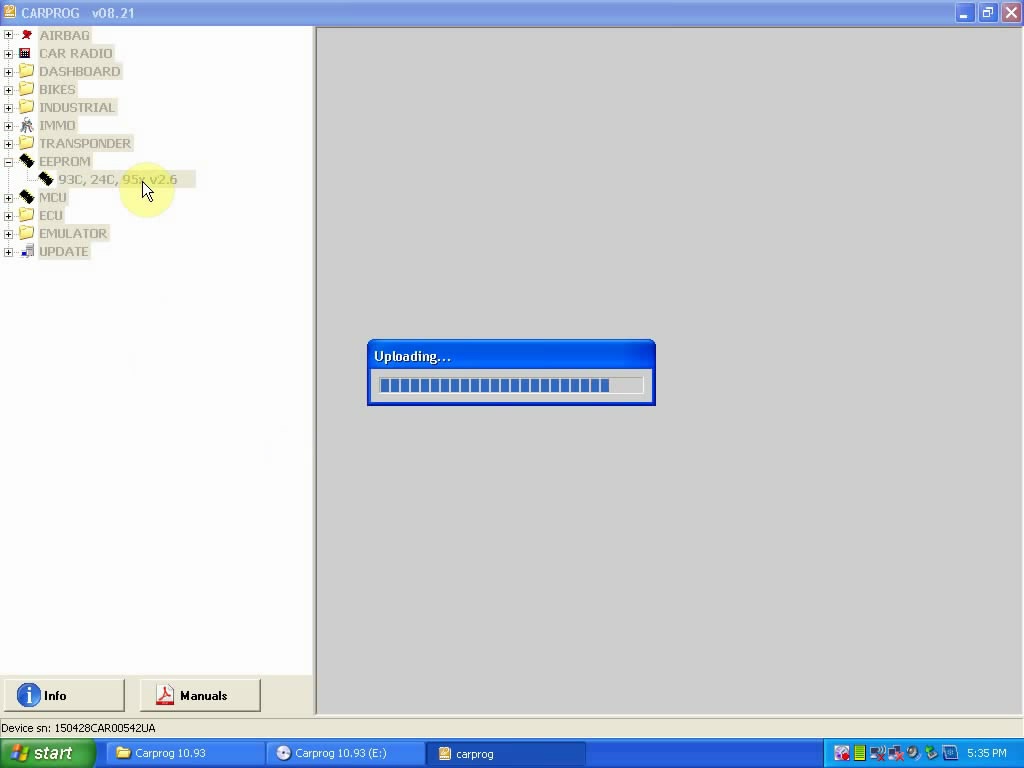
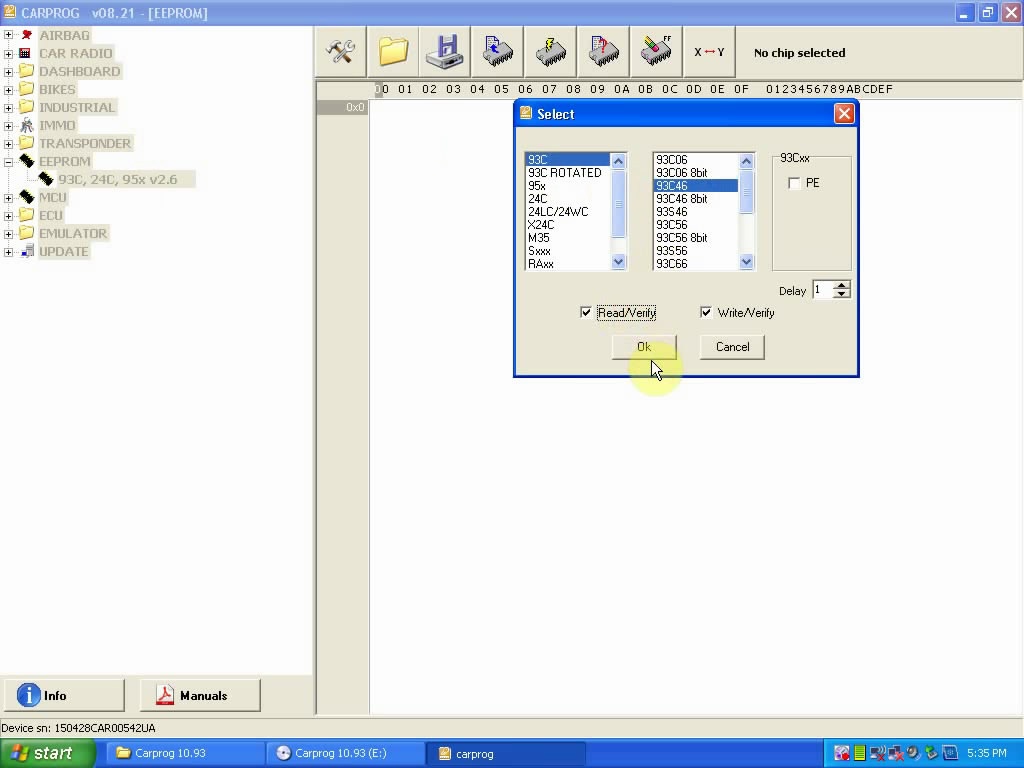
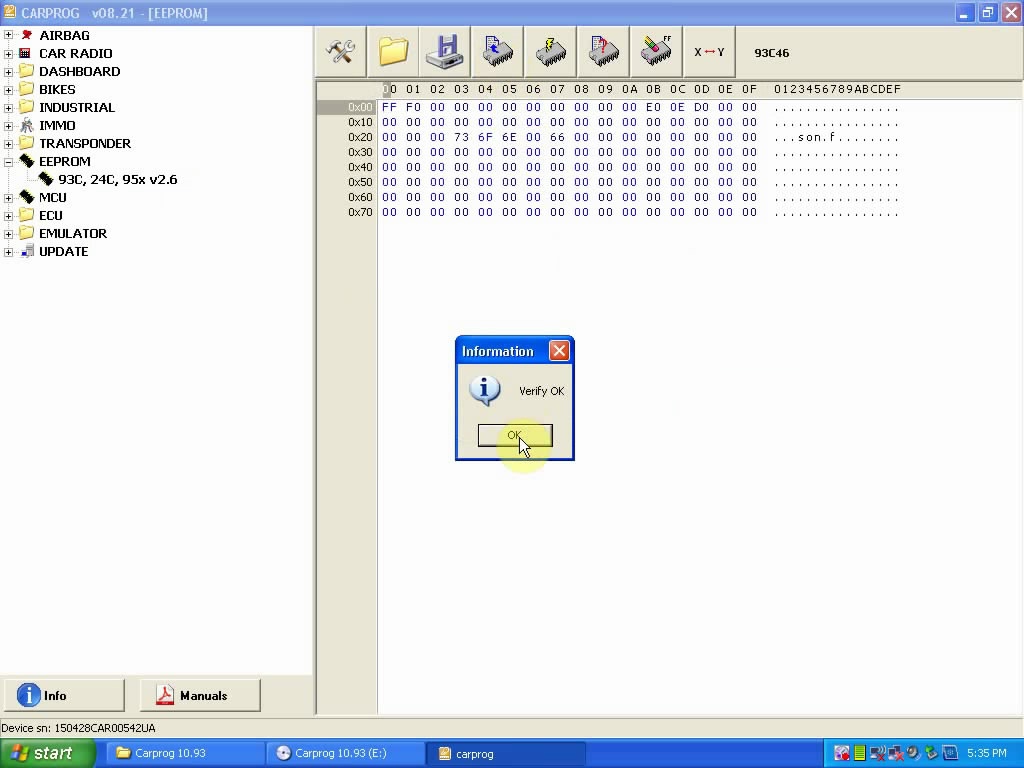
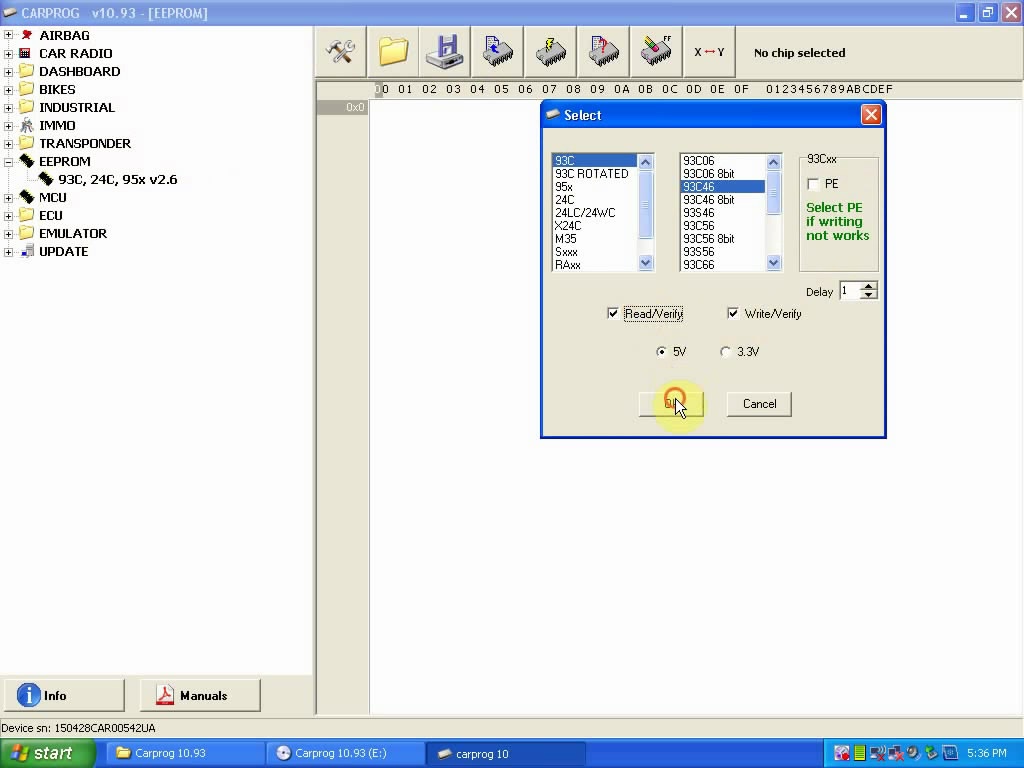
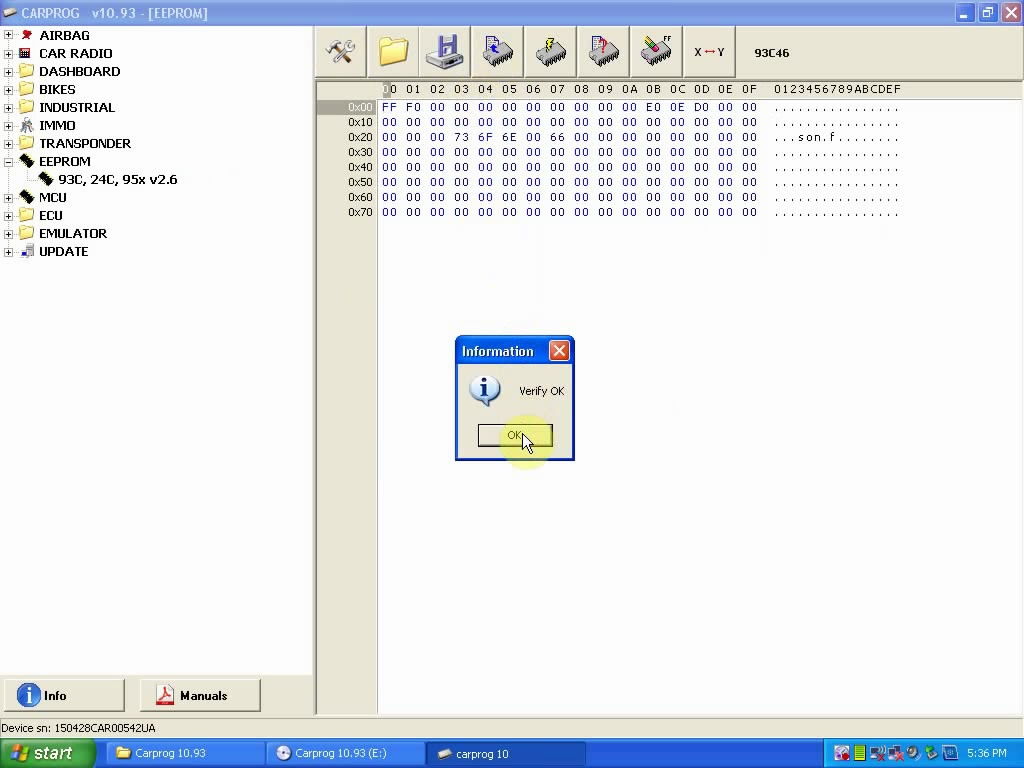
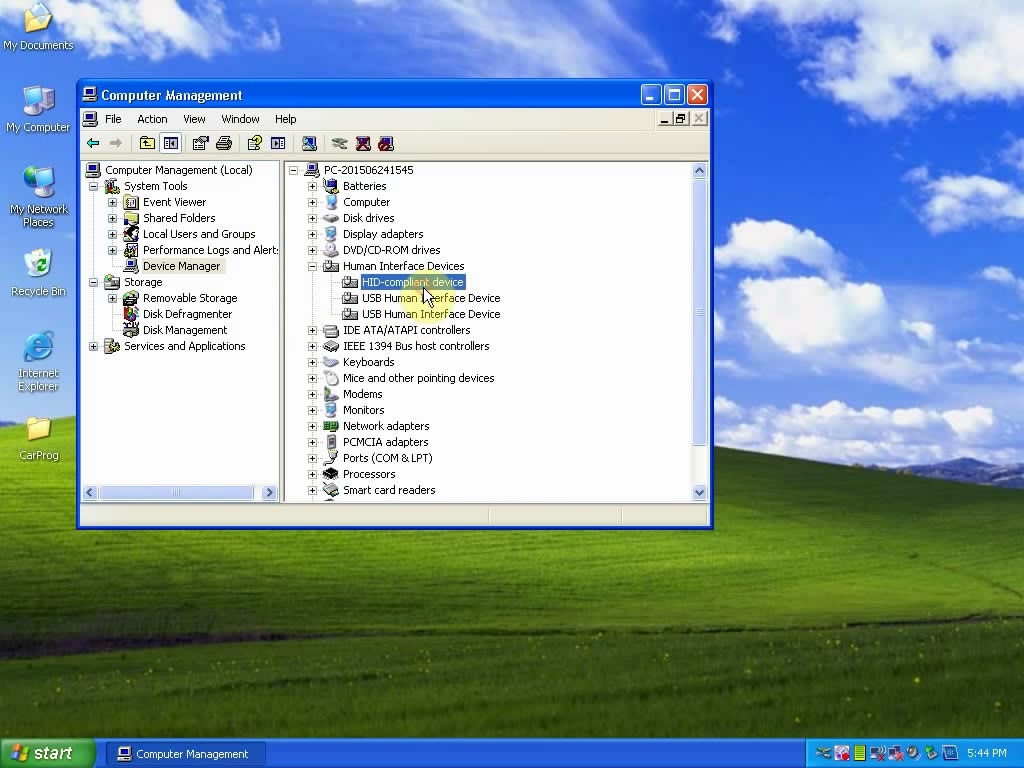
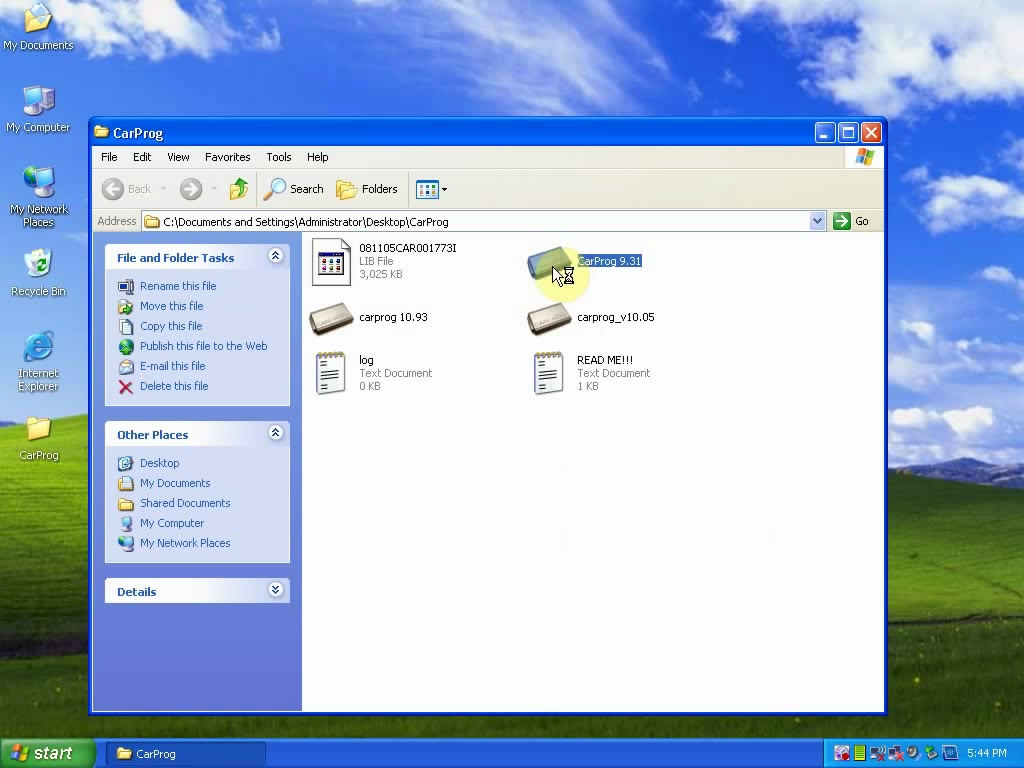
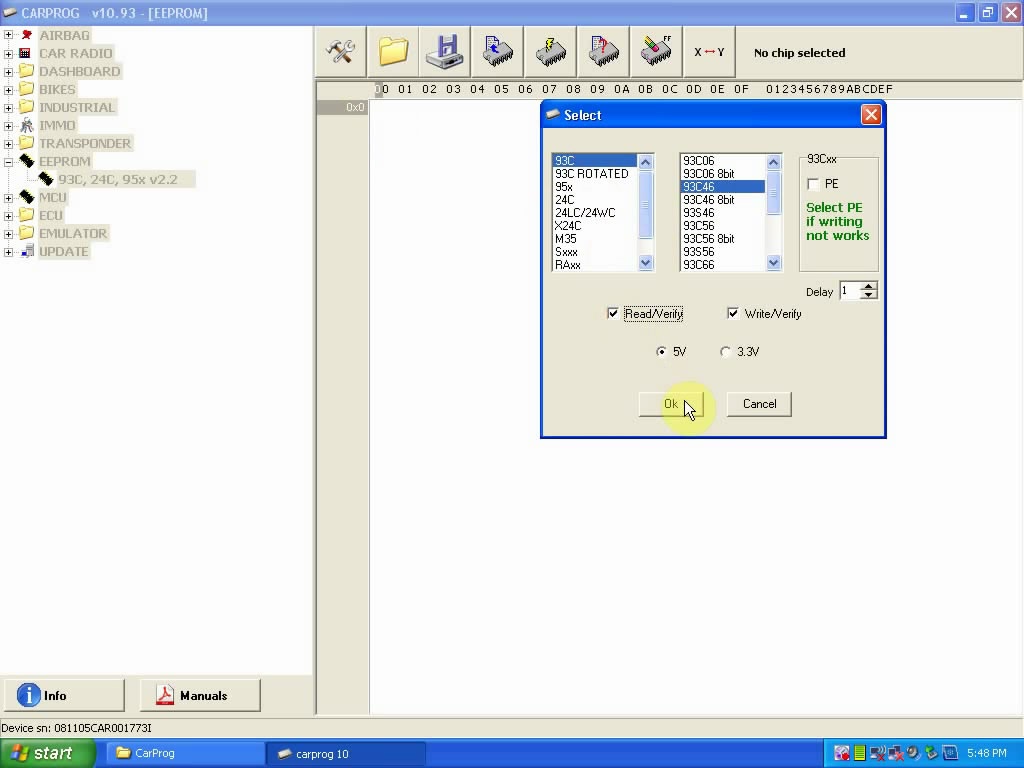
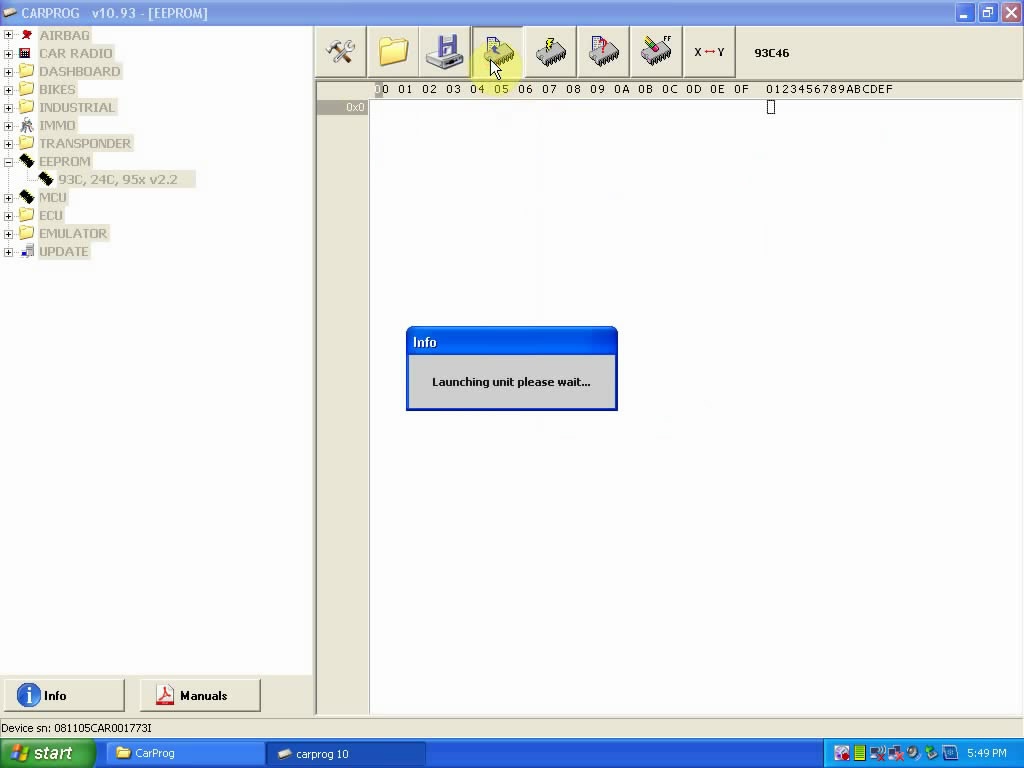
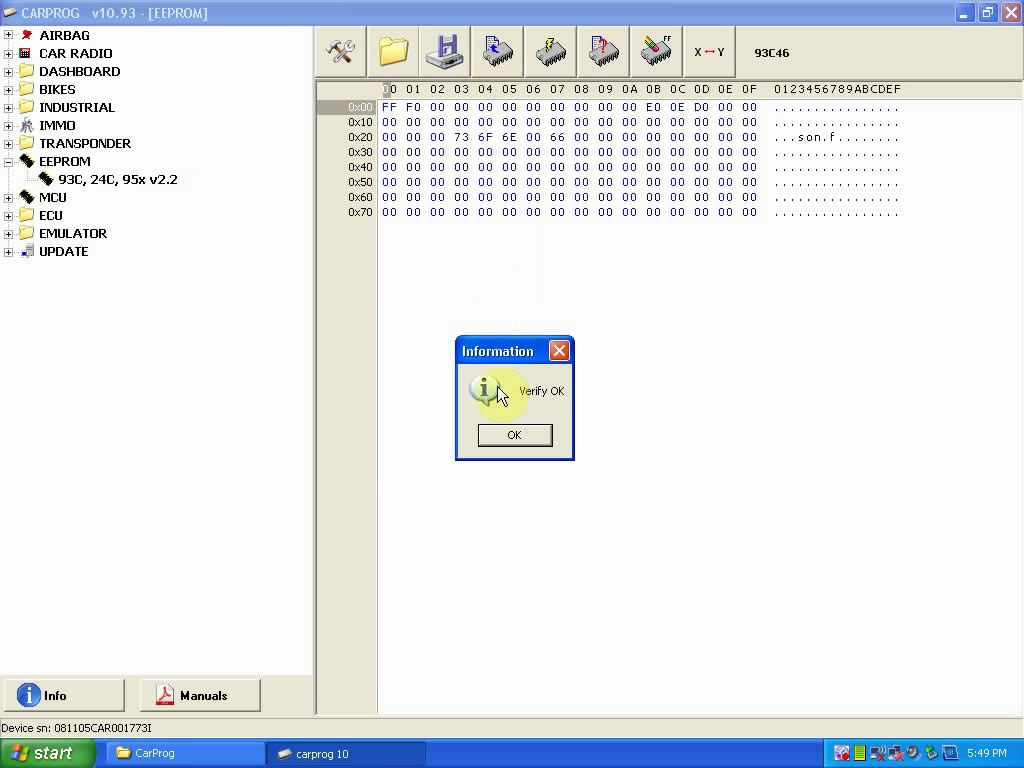
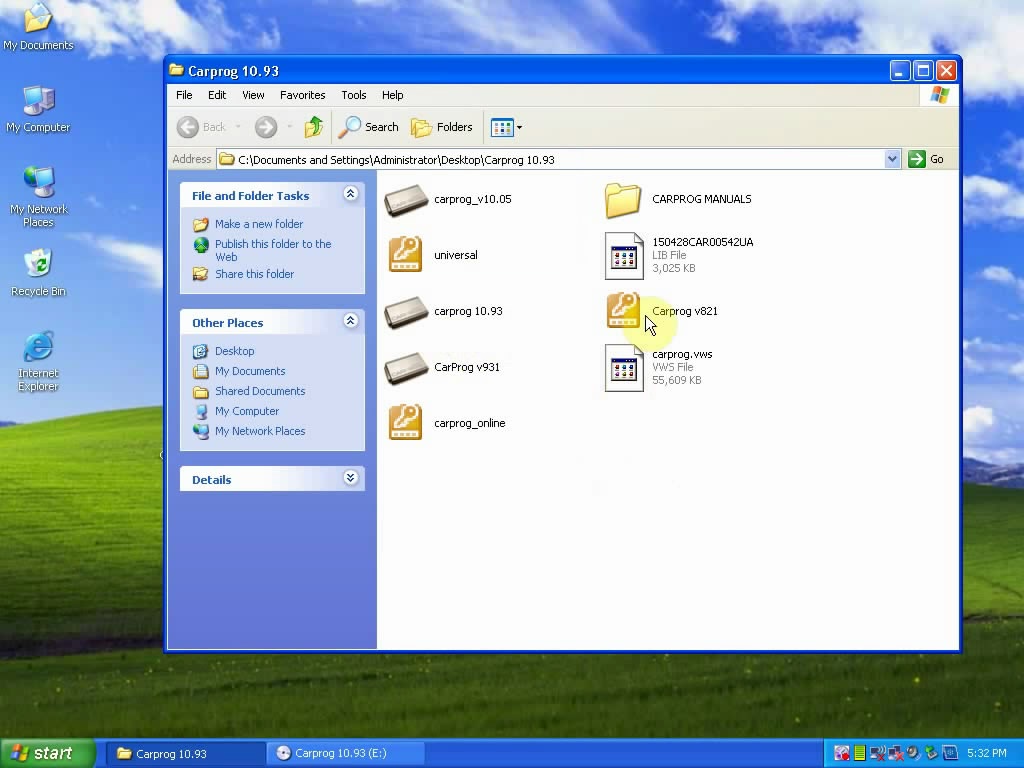
Step-by-step Procedure: Create a new folder on the desktop and copy the CD file of Carprog full software V10.93 into it.   Open "Carprog 8.21", copy the Hardware ID, Create a new folder on the desktop named "8.21" and paste the Hardware ID into it, then send it to eobdtool.co.uk sales (sales@eobdtool.co.uk), after receiving the activating key, copy it into the registration box, then click on "Register".   Here Carprog 8.21 function menu.   Exit it and open the file of "Carprog 10.93" and tick on "I agree", then close the window.   Right-click"My Computer" - "Manage" - "Device Manager", if you can see the "USB Human Interface Device", that means the Carprog software establish a good communication with the computer.   Open the app " Carprog 8.21" to test.   An example of eeprom (93C, 24C, 95x V2.6)   Click on the tool icon, then 93C - 93C46 - Read/Verify- OK.   Verify OK Close the app " Carprog 8.21".   Open the app " Carprog 10.93", tick on "I agree".   Also to test eeprom (93C, 24C, 95x V2.6)   Verify OK Done. Here is a simple test not include all.   * Install Carprog full software V10.93 on the cheaper version of interface https://www.youtube.com/watch?v=E9d5QF7kDTI Producer: engineer Test on XP (some users test on win7 with no problem) Source of Carprog full interfacehttp://www.uobdii.com/wholesale/carprog-full.html
 
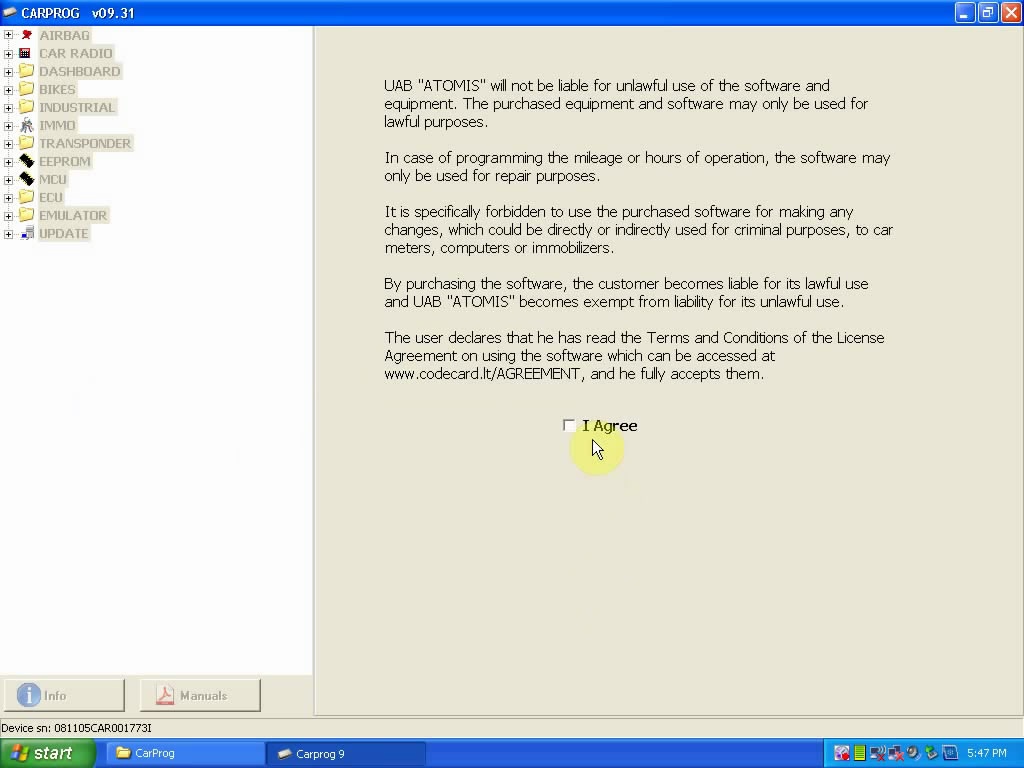
Step-by-step Procedure: Copy Carprog V10.93 from the CD to the desktop.   Right-click "My Computer" - "Manage" - "Device Manager", if you can see the "HID-compliant Device", that means the Carprog software establish a good communication with the computer.   Open the app "carprog 9.31"   Tick on "I agree".   Open the app "carprog 10.93"   Tick on "I agree".   Select eeprom (93C, 24C, 95x V2.6)   Verify OK Carprog full software V10.93 test results:
 Focus 2008 ....ok Cmax 2010 ....ok opel many ecu(bensin and diesel) ....ok Insignia , Astra 2010 .... error connection Fiat croma, punto, bravo...ok Passat b6 2007....ok hyundai i20 2014 obd...........ok polo 2014 read dash --fail octavia ----2007 read immodata fail skoda fabia clear airbag by 3 wires ok clio3 2006 dash with 24c04 always change to 137000 0r 131000km can't remember by obd.. astra IV , insignia , octavia 2011 JC online work   Started with clone 4.01, after that bought 4.74 clone and after a year I bought original dashboard pack. I use both because clone is good for some airbags and opel ecu via obd...it's pretty good tool   Work fine for Renault Scenic,Laguna,Megane... dash with HC08 and NEC procesors with A10 cable without dissemble the dash. Work 100% Megane 1995-1999 Key 100% work VW Passat 2008 Km 100% work Opel ECU all work fine NOT work with VW ECU CarProg with 4.74 sofware   China carprog clone fw V8.21 is work good on all options all are active.... but need to test on dash...no option is N/A all are active ... And more are waiting for your real test.   Please enjoy! Thanks

http://blog.uobdii.com
Tuesday, March 13, 2018

Free download Carprog v10.05 v9.31 v9.16 v9.08 v8.92 v8.64 v8.00 v7.28 v5.31

Free download Carprog software V5 V7 v8 v9 v10 for airbag reset:
https://mega.nz/#!2A9gGQgT!0dVHm-S-Wxwn82BPoBavCQ7lDYG1VmiVR6A5cMziLcw
carprog-full
Carprog software included:
Carpog 8.00
Carprog 8.03
Carprog 8.10
Carprog 8.17
Carprog 8.38
Carprog 8.64
Carprog 8.92
Carprog 9.04
Carprog 9.09
Carprog 9.13
Carprog 9.16
Carprog 9.31
Carprog 10.05
all_carprog


Source: http://mhhauto.com/Thread-Carprog-firmware....page=2

Security: UNKNOWN - YOU HAVE TO TRY ON YOUR RISK!!!

If you don’t want take any risk with Carprog software, use the link:
Carprog 9.31: http://www.obd2vip.com/download/se53-b-Carprog-full-v9.31.zip
Carprog 8.21: http://www.obd2vip.com/download/Carprog-full-v8.21-software.zip
Carprog 7.28: http://www.obd2vip.com/download/Carprog%207.28.zip
Carprog 5.94: http://www.obd2vip.com/download/Carprog5.94.zip
Carprog 5.46: http://www.obd2vip.com/download/Carprog-v5.46.zip
Carprog 5.31: http://www.obd2vip.com/download/CarprogV5.31.zip
Carprog 5.30: http://www.obd2vip.com/download/Carprogv5.3.zip

Security: 100% tested & safe to use
Airbag reset: Confirmed!!

Note that software tested, only with Carprog China clone:
http://www.uobdii.com/wholesale/carprog-full.html

Confirm yours same as Carprog here, then download for use

Related to “Carprog”:

Carprog Customers Feedback
http://blog.uobdii.com/carprog-full-ecu-chip-tunning-feedback/

China CARPROG CANBUS Not Working, How to Solve?
http://blog.uobdii.com/china-carprog-canbus-not-working-how-to-solve/

Carprog full v8.21 Reset BMW Airbag
http://blog.uobdii.com/carprog-full-v8-21-reset-bmw-airbag/

Sunday, December 11, 2016

Carprog Full V8.21 Online read write Golf VI IMMO data & change KM

This is a detailed tutorial for how Carprog Full V8.21 Online read write IMMO data and change mileage for a Golf VI 2011. Follow below steps and pictures things done!

Carprog 8.21 online read& write Golf VI 2011 Immo data in 3 steps

Step1. Open Carprog V8.21 software then choose “DASHBOARD”→ “VW” → “GOLF 2009 ONLINE DIAG V0.2”.
Click “Read Immo” and wait its connecting.


Create a txt file on desktop named “Immo-Data-for-Golf- VI” as below:


When Carprog read out the Immo data, copy the VIN, PIN, CS and MAC to txt file “ori-cluster-2011” section.


Step2. Go to main menu and choose “TRANSPONDER” → “VAG NEC KEY V0.1”.

Choose “VW (TP23)”, click the third button at top then click “Write”.


Click “OK” to start write then write OK.

Click the first button at top to open folder “VW-Golf- VI-2011”, choose “Immo-Data-for-Golf- VI-2011-carprog-read” then click “Open”.


Click “Write” then write OK.

Write key to Immo file: Choose “Key 3” then click “OK”. Choose “Immo-Data-for-Golf- VI-2011-carprog-read” file and change the file name as “Immo-Data-for-Golf- VI-2011-carprog-read-with-key-3”. Click “Save”.


Step3. Back to “DASHBOARD”→ “VW” → “GOLF 2009 ONLINE DIAG V0.2”.

Click “Open”

Open “Immo-Data-for-Golf- VI-2011-carprog-read-with-key-3”


Click “Write Immo”, click “OK” then wait it OK.


Carprog V8.21 change Golf VI 2011 mileage just 1 step!

Click “Change KM” and it will show the old value both in KM and ML. Choose “ML” option and enter a new value then click “Change”. In this way, Carprog V8.21 change mileage for Golf VI 2011 easily!


Tuesday, November 22, 2016

How to do when you lift pin 55 on Carprog

Now I have succeeded in one Carprog unit(CARPROG FULL V9.31), with help of a sewing needle. It will go wrong because I get up two pin, and then I can not solder back the faulty pin.
Now I have managed to get another one ready for easy flash with J-Link adapter.
But I will make another one to experiment with, and rebuild to full function or better.

Below is some useful tips from forum bros. Wish this helps

*** autocargo says:
… find scrap electronics board and practice on that. I use thin syringe needle and magnifying glass.. No point practicing on your working CarProg….
Use thin solder tip or hot air off course…forgot to say… but I don’t think you would be doing it without applying heat…

*** demelec says:
needle under leg needed lifting and heat with hot air, then very carefully lift only a little just so it separates from pcb solder

Soldering iron you have to use very thin tip and just touch very end of leg to remove ( solder at very end so not actually touching leg) then you can lift with needle
And always use solder flux
Flux is the main key to easy working

Monday, October 10, 2016

How to fix Carprog Clone LIB File Problem

Here is the working solution on Carprog clone “LIB file problem” by re-flashing Mcu ARM AT91SAM7S256 step by step.ECU Programmer

OBD Tech
Problem:
Any work solution for carprog v8.21 clone?
“Lib file problem. delete LIB file and make Update>-Internet”


Solution:
Yes, reprogram ARM with any jtag programmer.

Reflash Carprog MCU ARM by Jtag:
We need the stuff:
1- AT91SAM7S256.bin
2- Jtag programmer
3- Jtag software
We need to prepare the Carprog to connect to Jtag programmer but first the flash need to be erased, the Jtag function in mcu is disabled, you can’t connect to the mcu before erase the flash. Remove the AT88SC eeprom from the board, please note where is the pin 1 in eeprom before remove:


Carefully lift the pin 55 (reset) of the mcu and solder a wire and secure it with a small amount of silicone (you don’t want to broke the pin in the process).
Connect the Carprog (with the pin 55 disconnected) to the 12v supply, wait about 10 seconds and connect the wire from pin 55 to Vcc (3.3V) in Carprog:


Wait from 5 to 10 seconds after connect the 12v supply, the flash content will be erased and the Jtag option of the Mcu will be enabled now. If not work leave connected for about 3 to 5 minutes. Disconnect the 12v supply from CarProg full  and remove the pin 55 wire from vcc. The pin 55 must remain disconnected until the programming process is done.
Ok, that’s it. I make it; and you try on you risk.
Article from:http://carprog-carprog.blogspot.com/2016/10/how-to-fix-carprog-clone-lib-file.html

Saturday, October 1, 2016

CarProg with A9 A1 A1+ adapters test operation

Which adapter is necessary to make a test when the Carprog full fails to work? And how to do the test? Go on reading the post to get answers yourself.

A9 first!!!

If CarProg hardware test fail – in most cases you just need exchange 4x 74HC125 integrated circuit. Exchange all 4 74HC125 together!!!


update your Carprog A1 adapter:
carprog-a1-adapter
open A1 solder additional tantalum or electrolytic capasitors – this MOD will solve “communication lost” problems.
– A1 before modification:


– A1 after modification:


or with electrolytic capasitors 47uF 25V
carprog-47uf-25v-electrolytic-capacitors

update your A1+ adapter: 
open A1+ solder additional tantalum or electrolytic capacitors – more stable OBDII communication.  Also very important for older CarProg users – change one 1k Ohm resistor and solder 120R Ohm

– A1+Before modification:


– A1+ after modification:

or with electrolytic capacitors

TRY AT YOUR OWN RISK.